Control vs Cargo: Two Creative Site Builders, Two Ways to Design
9 Nov 2026
Both Cargo (also known as Cargo Collective) and Control were made for designers, artists and studios, so choosing between them comes down to how you like to work.
Cargo has been a go-to for artists and designers for years, and it has a wide range of templates for the purpose. You type, drop in images, arrange them in columns and galleries, and the page flows from top to bottom. Pages are grouped into Sets, and a whole site can be stacked into one long scroll.
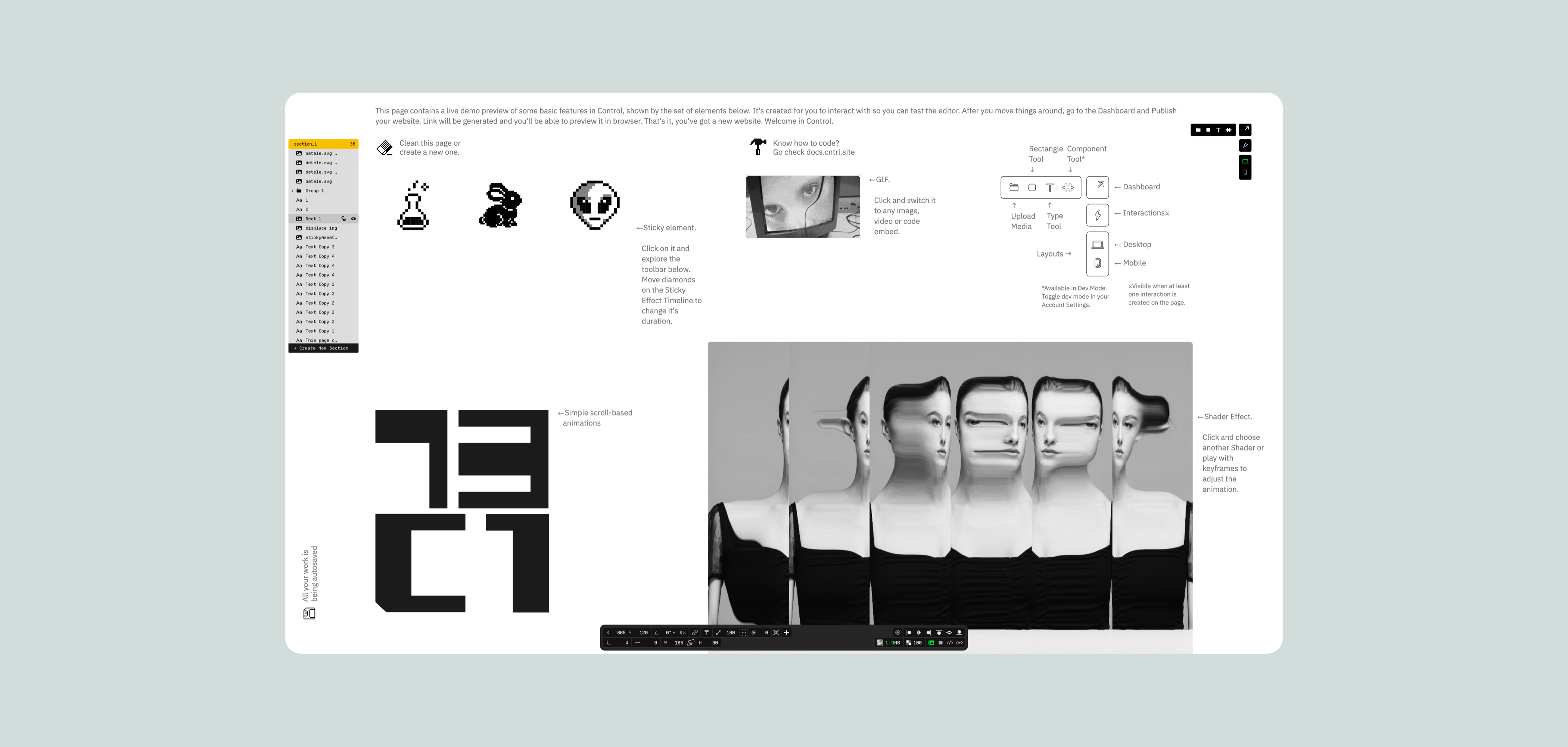
Control works like the design apps you already know. You get an open canvas: put an element exactly where you want it, layer it over another, and animate it with keyframes.
Cargo might be your match if you:
like building pages the way you'd lay out a document, with text, images and galleries flowing down the page
are happy with preset effects and are comfortable writing some CSS for the rest
want a ready-made template and don't need to change much of it
Control might be your match if you:
think in layers and positions as well as in lines of content
want to choreograph motion yourself, with keyframes, interactions and custom shader effects
need a more flexible CMS for portfolios or editorial content, and a way to grow into a fully custom-coded site later
Let's look closer at the core differences between the two.
Core Differences
Control
| Cargo
|
|---|---|
A browser-based freehand website builder focused on building responsive, fully custom portfolio or product sites.
| A site builder for designers and artists, built around templates with the ability to add custom CSS for layout adjustments.
|
Layout: Cargo's Document Flow vs Control's Freehand Canvas
Control
| Cargo
|
|---|---|
Combines a freehand editor with plug and play interactive components such as galleries, sliders, image grids, content lists etc.
| Pages work like rich documents: text, images and media flow from top to bottom, and you shape the layout with page width, padding, columns and galleries. Free placement exists, but only for images inside a Freeform gallery.
|
Design Features
Control
| Cargo
| |
|---|---|---|
Typography
| Advanced typography controls including kerning, leading, letter spacing and word spacing, with a visual kerning tool. You can upload your own fonts or embed Google and Adobe Fonts.
| Unlimited text styles, OpenType features with a glyph palette and a built-in library of fonts from the Dinamo foundry. You can upload your own fonts or embed Google and Adobe Fonts. There’s no built-in kerning and word spacing settings, you’ll need to write custom CSS for those.
|
Grid & Snapping
| Control supports smart snapping among all elements, including gap snapping, to keep layouts clean and balanced.
| No snapping on the page itself, since content flows in pre-defined order. Magnetic snap (with adjustable gutters) is available only inside Freeform galleries.
|
Color
| RGB and OKLCH. Has a built-in eyedropper tool.
| A color picker for text and backgrounds, plus a few nice touches: grain (noise) on backgrounds and a site-wide color filter that can soften, invert or desaturate everything. OKLCH only through custom CSS.
|
Layers and Sections
| Control lets you split your pages into distinct, structured sections for easy anchoring, organizing, and customizing.
| Structure comes from pages and Sets. Within a page, you can’t drag elements around or layer them over each other.
|
Shader Effects
| Control allows you to build and animate custom shader effects.
| No custom shader effects or shader animations.
|
Video/Embeds Support
| Allows for various types of embedded cross-media (Lottie, Spline, Vimeo, Youtube, Custom Code, etc). Third-party embeds and custom HTML are supported.
| YouTube and Vimeo embeds, third-party embeds and custom HTML are supported.
|
Animations: Cargo's Presets vs Control's Keyframes
Control
| Cargo
| |
|---|---|---|
Overview
| Freehand keyframe-style animations, custom interactions, hovers and a library of pre-made interactive components.
| Preset scroll animations for images, a handful of element effects and animated backdrops.
|
Animations
| Keyframe-animations, working with both element properties and shader effects.
| Pick one scroll animation preset for all images on the site (fades, fly-ins, Helix, Blur etc) with three intensity levels. You can rewrite the preset's CSS keyframes by hand. Text and other elements don't get scroll animations.
|
Interactions
| Has a built-in Interactions Composer. All elements on the canvas can be animated, from movement and scaling to color and shape. Interactions can be triggered by click or hover as well as by element’s position on the screen.
| No interaction builder. Instead there are ready-made effects: Rotation, Blink, and Eyeroll. Anything beyond that means custom CSS or scripts.
|
Components
| Control gives you fully customizable interactive components (various photo galleries, FAQ, Testimonials, Text and Photo Marquee, Lists, Buttons, Shape Typed etc). You get a proper hamburger navigation menu, easily customizable premade photo galleries right out of the box, and built-in forms.
| Five gallery modes (Grid, Columnized, Justify, Freeform, Slideshow), a Thumbnail Index, Marquee, Clock, an audio player, buttons and a Quick View lightbox. Menus are built from pinned or overlay pages, which gives you freedom but takes some setup. But only a basic contact form. The only customization is Light, Dark, or Auto. For custom fields you have to embed a third-party form service.
|
Scalability & Content Management
Control
| Cargo
| |
|---|---|---|
CMS
| Has a built-in CMS for portfolios, blogging, news and other types of editorial content.
| No CMS in the usual sense. Each project or post is its own page.
|
Ability to scale
| Control provides a next.js template and SDK that allows to scale it into a full custom coded environment.
| Strong code access inside the editor: a full CSS editor, page-level code view and custom HTML and scripts on every site. But the platform's underlying HTML stays closed, and there's no code export, API or SDK to take your site further.
|
Starting Value
Control
| Cargo
|
|---|---|
Control allows for a fully-working website to be published for 30 days as part of the free trial.
No feature limitations on the free plan. Alongside the editor you’re getting access to a free template library, free components library, built-in Shader effects library and other features as well as direct online help channels. Students and teachers can use Control for free through their school.
| No time limit and no credit card needed to build, but your sites stay private until you subscribe. In other words, you can't put a live, public site in front of anyone without paying. Students and teachers can use Cargo for free through their school.
|
Starter Plans Comparison
Control
| Cargo
| |
|---|---|---|
Pricing
| Paid plan starts at $19/m and includes unlimited pages, unlimited sites, one custom domain connection, 10GB storage, 30 GB of bandwidth, 10 collaborators and a full access to the shader and component libraries.
| $14/m billed annually or $19/m month to month. It includes unlimited sites, 1 custom domain connection and real-time collaboration. Extra domains and the Commerce add-on cost extra.
|
Custom fonts
| Yes
| Yes
|
Password-protection
| Yes
| Yes
|
Video upload limits
| Up to 60Mb per file
| Up to 250 MB per file in the Files library.
|
Collaborators
| Up to 10
| Not limited in practice (“pretty much any amount”, per Cargo’s docs).
|
Backups
| Autosave with the ability to restore your project to the last published version.
| Every change autosaves to a draft that stays separate from the live site, and you can discard the draft to go back to the last published version. Undo works within an editing session. No version history beyond that.
|
Which One Should You Choose?
Both tools take design seriously, so you can't go wrong. It's really about where you want your creative freedom to come from.
Choose Cargo if you love building pages like documents: type, galleries, pinned menus, a few playful effects and some CSS when you want to push further.
Choose Control if you want the freedom of a design app on the web: place anything anywhere, layer it, and bring it to life with keyframes, interactions and shader effects. Add a CMS for your projects and a Next.js SDK for later, and your site can grow as far as your ideas go.
Read more honest comparisons on the Readymag and Squarespace Alternative pages.

