Modern Readymag Alternative with CMS and Components.
Philipp Gladsome with the Leica M EV1
21 Oct 2026
If you've been designing on the web for a while, you've probably used or heard of tools like WordPress, Framer, Webflow, or Readymag. Broadly speaking, modern web design platforms fall into three distinct categories:
Traditional CMS & Developer Boilerplates
| like WordPress
| Code-heavy systems relying on themes, plugins, and backend setups.
|
|---|---|---|
Visual Box-Model & Layout Builders
| like Webflow, Framer, Cargo
| Platforms designed around CSS structure, flexbox, and layout containers that translate code principles into visual interfaces.
|
Freehand Visual Canvas Editors
| like Control and Readymag
| Open-canvas tools that let you drop, position, and layer elements freely without structural constraints or code.
|
Let’s focus on that third group.
Staring at a completely blank screen can be just as daunting as wrestling with code. Sometimes, you don't just want a canvas; you want a canvas that actually helps you build.
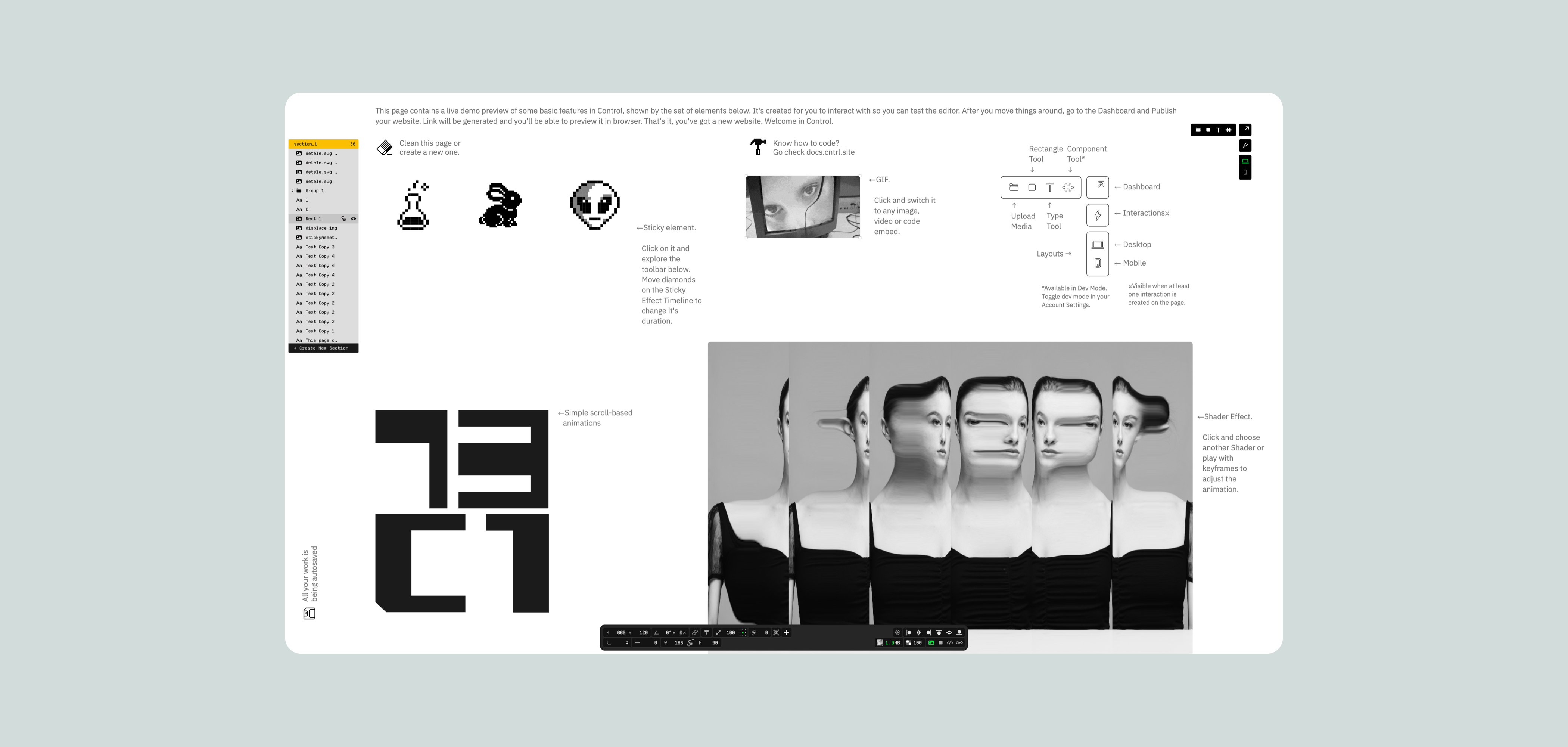
Both Control and Readymag belong to the Freehand Design editors group: designers should be able to create stunning, custom websites visually, without needing a developer to translate their vision. If you’ve spent any time exploring this space, you know how liberating that open-canvas feel is.
Control was built from the ground up around two core focuses: providing a truly freehand environment for designers, combined with a built-in understanding of all modern website requirements. If you've been looking for a modern Readymag alternative that keeps creative freedom while handling production demands, this balance is key.
Credit where it’s due: Readymag pioneered this space and remains a great tool for crafting editorial showcases, interactive pitch decks, and expressive design portfolios where the primary goal is simply getting visual ideas onto the screen.
However, as our design needs have grown more complex—requiring better structure, content management, and mobile responsiveness—the tools need to evolve, too. This is where Control steps in, offering that same freehand feel but with a much smarter engine under the hood.
Core Differences
Control
| Readymag
|
|---|---|
A browser-based freehand website builder focused on building responsive, fully custom portfolio or product sites, usually associated with modern approaches to web design.
| A browser-based design tool built specifically for visual storytelling, digital magazines, portfolios, and art-directed single pages.
|
Layout & Structure
Control
| Readymag
|
|---|---|
Combines a freehand editor with plug and play interactive components such as galleries, sliders, image grids, content lists etc.
| Operates with a true blank page and a customizable grid where you can place elements, text, and media anywhere you like, treating each page as an individual composition.
|
Alongside a freehand editor has a dedicated inline editor for blogging (similar to Medium, Substack etc.).
| No inline editor for blogging.
|
Design Features
Control
| Readymag
| |
|---|---|---|
Typography
| Advanced typography controls including Kerning, Leading, Letter Spacing Word Spacing, etc. Has a cool intuitive kerning adjustment tool.
| Custom typography controls (kerning, leading, and web fonts).
|
Grid & Snapping
| Control supports smart snapping among all elements, including gap snapping, to keep layouts clean and balanced.
| Readymag is limited to basic top, center, and bottom alignment snapping.
|
Color
| RGB and OKLCH. Has a built-in eyedropper tool.
| RGB only. No built-in eyedropper tool.
|
Layers and Sections
| Control lets you split your pages into distinct, structured sections for easy anchoring, organizing, and customizing.
| Readymag doesn't have structured section layers, meaning elements share a single flat canvas.
|
Shader Effects
| Control allows you to build and animate custom shader effects.
| Readymag doesn’t have shader effects functionality.
|
Animations and Interactivity
Control
| Readymag
| |
|---|---|---|
Overview
| Freehand keyframe-style animations, custom interactions, hovers and a library of pre-made interactive components. Allows for various types of embeds cross-media (Lottie, Spline, Vimeo, Youtube, Custom Code, etc).
| Scrolling effects (position based or timed), hover states and Lottie animations.
|
Animations
| Keyframe-animations, working with both element properties and shader effects.
| Trigger based animations applied to any widgets.
|
Interactions
| Has a built-in Interactions Composer. All elements on the canvas can be animated, from movement and scaling to color and shape. Interactions can be triggered by click or hover as well as by element’s position on the screen.
| Supports multi-widget interactions. A single trigger can control elements simultaneously, from syncing Lottie files to scrubbing image sequences, driven by cursor movement or dragging items across the screen.
|
Components
| Control gives you fully customizable interactive components. You get a proper hamburger navigation menu and easily customizable premade photo galleries right out of the box.
| Readymag uses drag-and-drop “widgets” (text, media, forms, and custom code) as its core building blocks, giving you complete freeform placement without rigid grid constraints.
|
Scalability & Content Management
Control
| Readymag
| |
|---|---|---|
CMS
| Has a built-in CMS for portfolios, blogging, news and other types of editorial content.
| Readymag is strictly a design editor with no native CMS capabilities.
|
Ability to scale
| Control provides a next.js template and SDK that allows to scale it into a full custom coded environment. More info here.
| Readymag doesn’t have the ability to scale the site beyond Readymag's editor.
|
Starting Value
Control
| Readymag
|
|---|---|
Control allows for a fully-working website to be published for 30 days as part of the free trial.
No feature limitations on the free plan. Alongside the editor you’re getting access to a free template library, free components library, built-in Shader effects library and other features as well as direct online help channels.
| 1 published site on a Readymag subdomain (with Readymag watermark), up to 10 pages, core layout tools. Advanced features like component previews are limited on the free plan.
|
Starter Plans Comparison
Control
| Readymag
| |
|---|---|---|
Pricing
| Paid plan starts at $19/m and includes unlimited pages, unlimited projects, ability to add custom domain(s) to 1 project, 10GB storage, 30 GB of bandwidth, 10 collaborators and a full access to the shader and component libraries.
| Paid plan starts at $15/m and includes 1 published website with 1 custom domain and 1 collaborator.
Quote their page.
|
Custom fonts
| Yes
| Yes
|
Password-protection
| Yes
| Yes
|
Video upload limits
| Up to 60Mb per file
| Up to 6mb per file
|
Collaborators
| Up to 10
| 1
|
Backups
| Autosave with the ability to restore your project to the last published version.
| Autosave with 6 version history snapshots per project.
|
Making the Switch
While Readymag gives you an open canvas, Control combines that canvas with an intelligent system designed for real-world workflows.
If you’re used to designing in other platforms, moving your workflow might feel like a big step. The good news is that transitioning to Control feels incredibly natural.
You keep all the visual, drag-and-drop freedom you already love, but you gain a structured foundation that quietly handles the heavy lifting in the background. It’s the same intuitive design process, just streamlined to help your ideas come to life that much faster.
Ready to see how smooth your next project can be?